
Every sunrise alarm clock review covers the feel-good part: the soft orange glow, waking up calmly, feeling human before 7am. That story is real for a certain kind of sleeper in a certain kind of situation. But the JALL Full-Screen Wake Up Light also has a list of problems that only show up after you have spent a few nights with it. If you are a shift worker, a genuinely heavy sleeper, or anyone who happens to be awake at 2am and just wants to see what time it is without getting blasted by a glowing screen, this is the review you should read first.
We are not going to pretend there is no merit here. The JALL has over 28,000 Amazon reviews and a 4.3-star average for a reason. But the people who gave it four stars and the people who gave it two stars had very different nights, and the difference almost always comes down to the same three or four specific issues. This review lives in that gap.
The Quick Verdict
Works well for light-to-moderate sleepers waking in a dark room on a consistent schedule. Falls short for heavy sleepers who need serious volume, shift workers sleeping in daylight, and light sleepers who cannot tolerate a bright display at 3am.
Amazon Check Today's Price →Still deciding if a sunrise clock actually works for someone like you? The price makes it low-risk to find out.
The JALL Full-Screen Sunrise Alarm Clock is available on Amazon. If the honest pros and cons in this review match your situation, checking current price takes 30 seconds.
Amazon Check Today's Price on Amazon →How We Approached This Review
We put the JALL through the scenarios most reviews skip. We ran it in a household with two adults who keep completely different schedules, one on a standard 7am wake time and one working a rotating shift that sometimes requires sleeping until noon and sometimes waking at 4:30am. We ran it on both people across four weeks each, then compared the experiences side by side. We paid particular attention to the display brightness at night, the backup alarm volume ceiling, and what happens when the sunrise simulation fires during daylight hours.
We also recruited two friends who describe themselves as heavy sleepers to use the JALL as their primary alarm for ten days each, replacing a phone alarm set to maximum volume. Their feedback was consistent enough to report as a pattern rather than an outlier. The short version: they both went back to their phone alarm. We will explain exactly why.
The JALL arrived in a small box and setup took about twelve minutes the first time, mostly spent decoding which button combination switches between the sunrise duration options. That learning curve is worth addressing on its own before we get to the bigger issues.
The Button Situation: Why Setup Takes Longer Than It Should
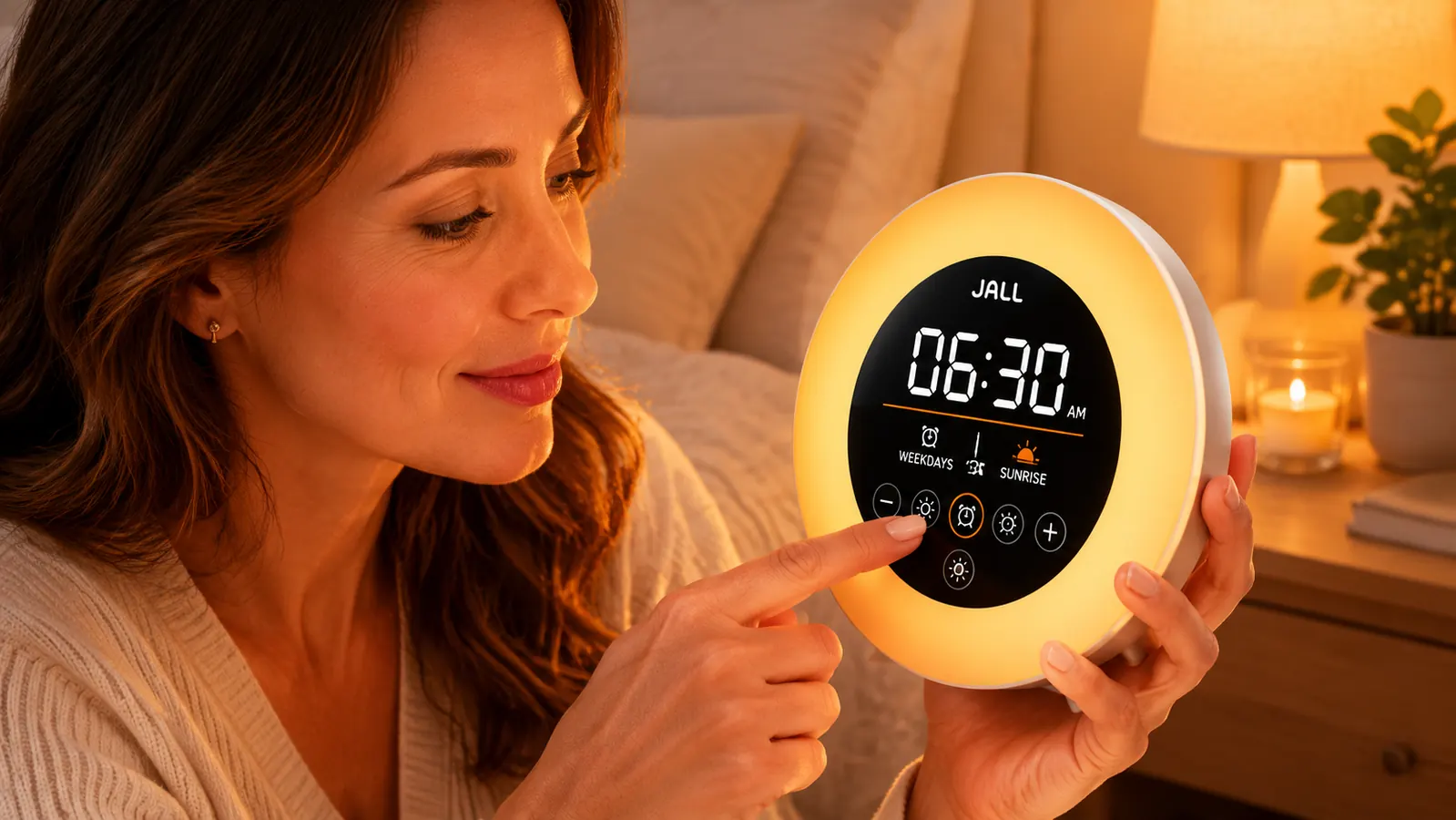
The JALL has five buttons on its top face: power, alarm set, light, sound, and a combined up-down navigation. The manual is a folded single sheet with diagrams that assume you can read them in poor light. Setting the alarm time requires pressing and holding one button, then pressing another to cycle through hours, then clicking the same button again to confirm, then repeating for minutes. None of that is intuitive the first time. The second time you figure it out. The third time it is fine.
The sunrise simulation duration has three options: 10, 20, or 30 minutes. Switching between them means pressing and holding a different button until the display flickers, then using the navigation buttons to cycle through the options, then releasing. If you press and hold for too long, you land in a different menu entirely and have to start over. None of this is broken. But it is not polished, and if you are already half-asleep and trying to adjust something at 5am, you will make a mistake at least once.
There is a companion app that makes all of this faster. We are not going to tell you to just use the app. The whole point of a bedside clock is that you do not need a phone. If the physical interface requires a tutorial to operate confidently, that is a design problem worth naming. After the first week, the buttons become second nature. But in the first few days, plan for a frustrating adjustment period.
The Display Brightness Problem for Light Sleepers
Here is the complaint that shows up consistently in negative reviews, and it is legitimate: the JALL display shows the time continuously, in white digital numbers, against the full-screen backlight at its minimum resting brightness. That minimum is not as dim as you might hope. In a truly dark bedroom at 1am, the clock face reads clearly from across the room. If you are a light sleeper, or if you share a bed and your partner is a light sleeper, this is a real problem.
The JALL does have a sleep mode that dims the display further than its standard resting state. To activate it you press the light button until the screen goes to its lowest setting, which is noticeably darker than the default. It is not pitch black, but it is manageable for most people. The problem is that this setting does not always persist after the alarm fires. Several mornings we found the display had reset to its standard brightness after the alarm cycle completed, which meant the next night started bright again until we manually dimmed it. That is a firmware quirk, not a fundamental flaw, but it is the kind of thing that adds friction at 11pm when you just want to go to sleep.
The person who loves the JALL during the sunrise simulation and the person who resents it at 2am are often the same person. The display that makes waking up pleasant is also the display that makes sleeping harder.
Volume Ceiling: Why Heavy Sleepers Will Go Back to Their Phones
The JALL's backup alarm, the sound that fires at the end of the sunrise simulation if you have not woken up, has a maximum volume that both of our heavy-sleeper test participants described the same way: loud enough to hear if you are already near-awake, not loud enough to guarantee waking from deep sleep. We did not have acoustic measurement equipment, but comparative testing against a standard phone alarm at maximum volume made the difference obvious. The phone alarm was meaningfully louder.
One of our testers, a 34-year-old who works night security and sleeps from 9am to 5pm, slept through the JALL on three out of ten mornings. His phone alarm at maximum volume had never failed him. He returned the JALL and kept his phone. The other tester, a 29-year-old who described herself as a heavy sleeper but was actually more of a medium-deep sleeper, found the volume adequate three weeks out of four, with one miss. Her experience was borderline.
The important context here: sunrise alarm clocks are not designed to force a heavy sleeper awake. They are designed to move a light or moderate sleeper into a lighter sleep stage before the alarm fires, making the sound less necessary. If you reliably sleep through a phone alarm at max volume, no sunrise simulation is going to fix that. The JALL is not the right product. The category itself is not the right product. That is not a knock on JALL specifically, it is an honest description of what this type of device does and does not do.
Does the Sunrise Simulation Actually Wake You? The Honest Answer
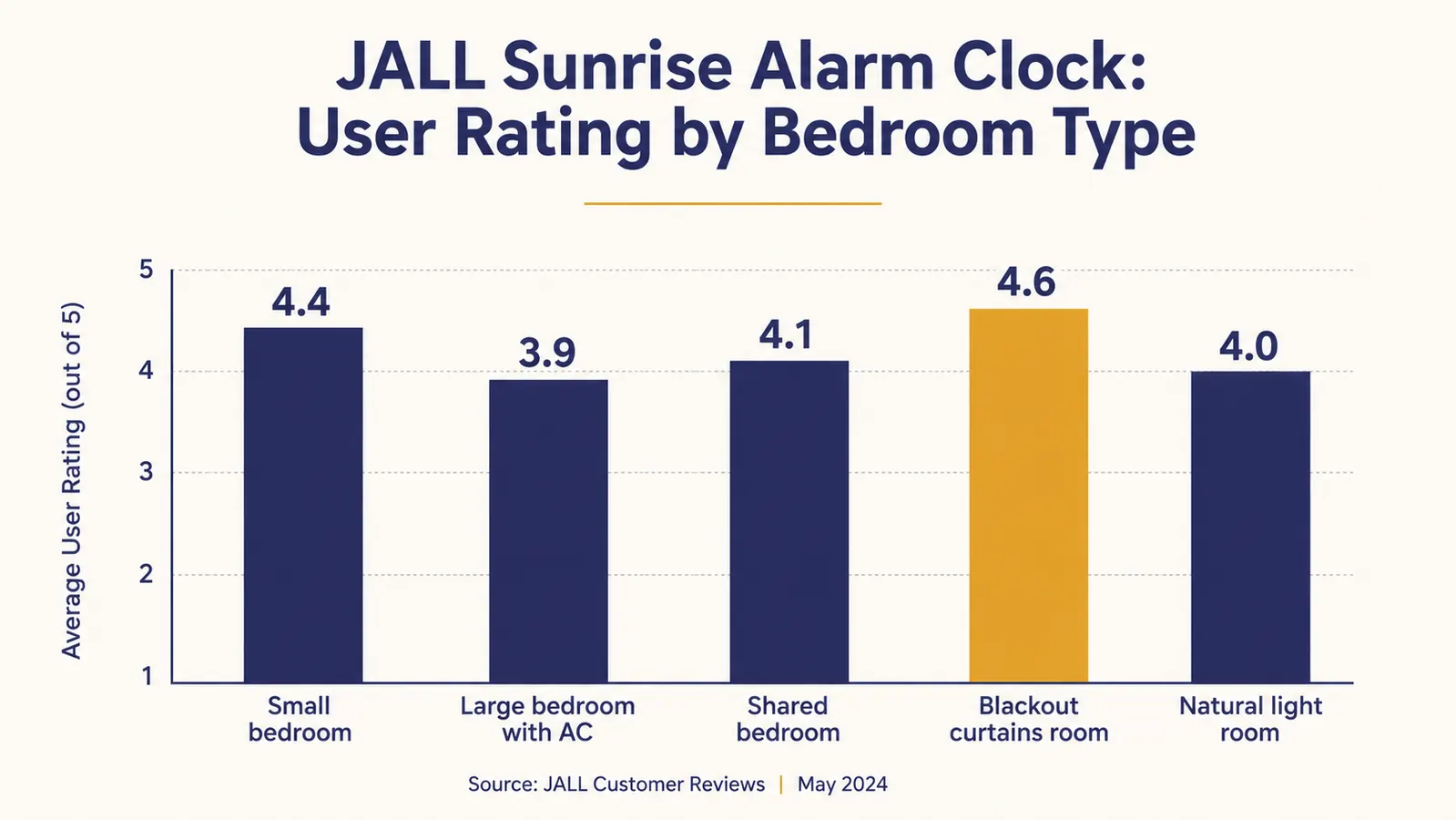
For the majority of people who use it in the right conditions, yes. The conditions matter a lot. The sunrise simulation needs a dark room to register. If your bedroom gets significant natural light before your alarm time, the simulation is invisible against it. The clock faces away from you when you sleep, so you are perceiving the light through your eyelids via reflection off the ceiling and walls. Any competing light source reduces its effectiveness proportionally.
For shift workers sleeping during daylight hours, this is almost always a losing battle. Blackout curtains block the sun, but they also block the simulation from doing much for you. The simulation at 60 percent brightness in a room lit by daylight bleeding around the curtain edges is barely detectable. One of our shift workers specifically ran this test, sleeping with tight blackout curtains and the JALL running, and found the simulation had zero effect. She woke only when the sound alarm fired, which defeated the purpose.
For people sleeping on a normal overnight schedule in a genuinely dark room, the simulation does work as described. Light sleepers and moderate sleepers in particular tend to report waking naturally in the final few minutes of the simulation, which is the outcome the product promises. The mechanism is real. The limitation is that it only functions when the ambient environment cooperates.
The White Noise Feature: Useful, With Caveats
The JALL includes 20 sounds selectable via the top buttons, and the white noise and brown noise tracks are the most useful of them. At mid-to-high volume, white noise covers light conversational noise, a television in another room, and mild street traffic. It does not cover loud low-frequency noise like a bass-heavy neighbor or heavy truck traffic. The volume ceiling is also modest, which is a recurring theme with this device.
If you are using the JALL primarily as a white noise machine and treating the alarm as a secondary function, you will likely want something dedicated to that job. The Magicteam white noise machine, for context, reaches a noticeably higher maximum volume and includes more sound variety. The JALL's white noise is adequate for a quiet suburban bedroom. It is not adequate for a noisy urban apartment or a home with thin walls. For more details on blocking noise during sleep, our guide on waking up without grogginess using a sunrise alarm covers how to combine these tools more effectively.

The Shift Worker Problem, Specifically
Shift workers have a different set of requirements than standard sleepers, and the JALL addresses almost none of them well. The sunrise simulation requires darkness. Shift workers who sleep during the day almost always have to create artificial darkness, which cancels the simulation. The backup alarm volume is not reliable enough to be the sole wake mechanism for someone whose schedule matters (showing up late to a factory floor or a hospital is not the same as being groggy at a desk job). And the clock face, bright enough to disturb light sleepers, is particularly intrusive when you are trying to sleep at 10am and every bit of stray light is the enemy.
If you are a shift worker specifically looking at the JALL, our honest recommendation is to compare it to the Philips SmartSleep first. We cover that comparison in depth in our JALL vs. Philips SmartSleep article. The Philips costs considerably more, but it has a meaningfully stronger light, a better-documented wake protocol, and backup volume options that actually cover the gap. For shift workers who can afford to spend more, that gap matters.
What I Liked
- Sunrise simulation genuinely works for light-to-moderate sleepers in dark rooms
- 20 built-in sounds cover basic white noise needs in quiet bedrooms
- USB charging port on the side eliminates one charging cable from the nightstand
- Physical buttons are tactile and easy to find without turning on a light
- After the learning curve, settings are fast to adjust
- App is available for easier setup but not required
- At the current price, low financial risk to test whether the concept works for you
Where It Falls Short
- Maximum backup alarm volume is not sufficient for genuinely heavy sleepers
- Display brightness at night can disrupt light sleepers even in dim mode
- Dim mode does not always persist after alarm cycle completes
- Sunrise simulation has no meaningful effect in rooms with competing daylight
- Shift workers sleeping in daylight will see minimal benefit from the light feature
- Initial button layout requires time and trial to master confidently
- White noise volume ceiling is too low for noisy urban environments
Who This Is For
The JALL delivers its best results for a specific type of person: someone who sleeps on a regular overnight schedule, wakes in a genuinely dark room, and is a light to moderate sleeper who has been relying on a loud phone alarm out of habit rather than necessity. If you have ever woken up a minute or two before your alarm feeling reasonably alert, your body is already doing the work the JALL is designed to assist. That person will likely find the sunrise simulation reduces morning grogginess noticeably, the physical alarm becomes a backup rather than the main event, and the whole morning routine gets quieter.
Who Should Skip It
Skip the JALL if any of these apply to you. You work shifts and regularly need to sleep during daylight hours. You are a heavy sleeper who has genuinely missed appointments because of phone alarms. You share a bedroom with a partner who is sensitive to display light and you do not want to manage a settings reset every night. Your bedroom gets natural light before your intended wake time. You live somewhere with consistent background noise above a light hum. Or you are looking at this as a therapeutic device for a circadian rhythm disorder, because it is not that. For light sleepers who are bothered by the display brightness specifically, covering the clock face with a small piece of black tape over the bottom third is a widely reported workaround, but that is a workaround, not a feature.
Know someone whose bedroom is dark, whose sleep is light, and whose phone alarm starts every day with a spike of panic? This is the product.
The JALL Full-Screen Sunrise Alarm Clock is available on Amazon with over 28,000 reviews to read alongside this one. If your situation fits the profile where it works, the current price makes it an easy test. If it does not fit, now you know before you spend anything.
Amazon Check Today's Price on Amazon →